Salesforce provide data export feature to obtain a copy of all your salesforce data .You can generate backup files for manually or automatically. You can set backup files automatically in 7 days or 29 days(weekly or monthly intervals) or also set it manually on weekly or monthly basis.Backup files provide . zip file that contain all yor organization data in .csv format.
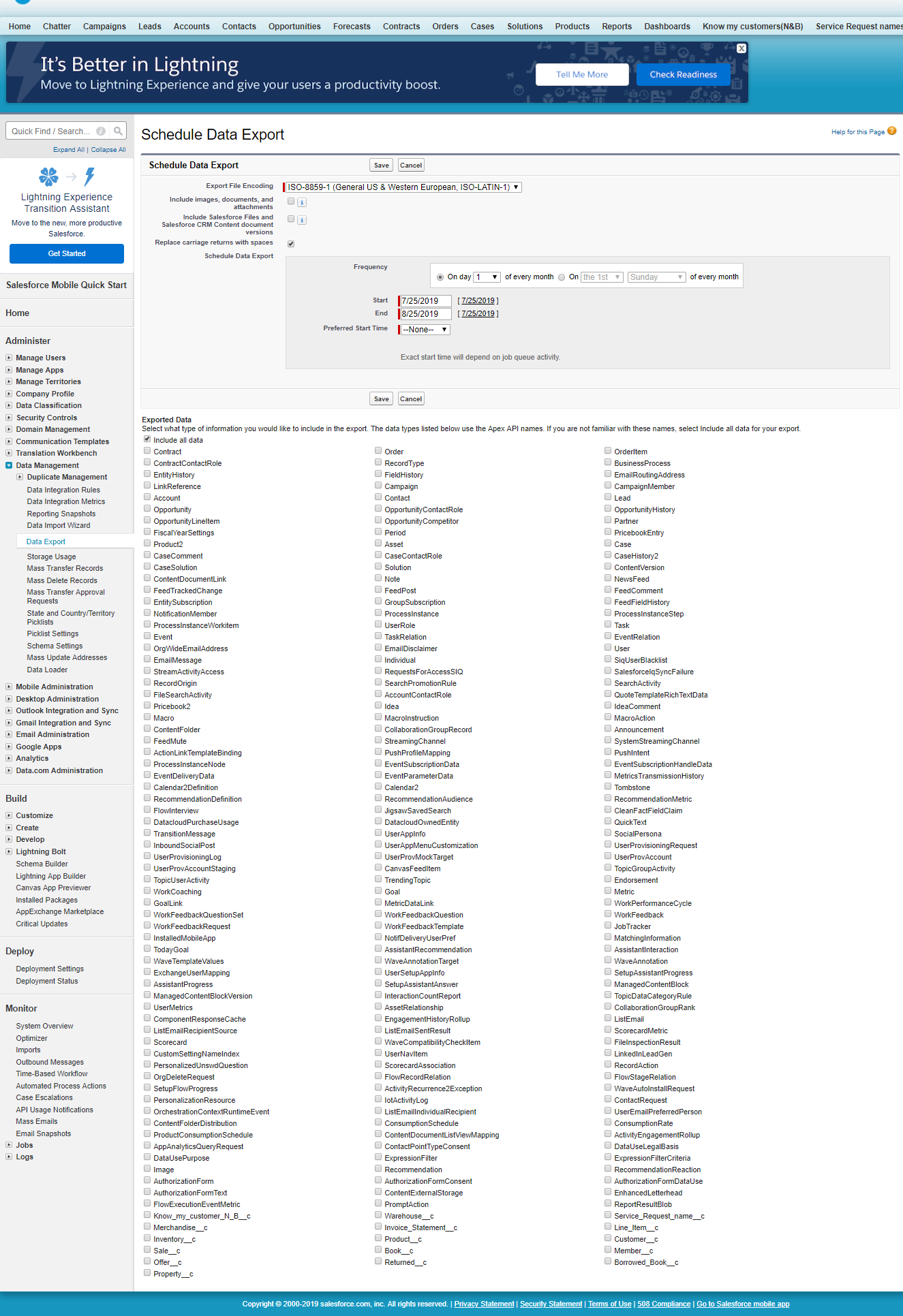
Step by step instruction:
- Go to Setup> Data Management> Data Export> Schedule Export.
- Select Export files encoding .If not any then leave it Default.
- Click on the checkbox if you want to attach any images,documents and attachments.
- Leave the default Replace carriage returns with spaces if you want your export files to have spaces instead of carriage returns.
- Select frequency weekly for the export.
- Select start and end date.
- Set the time of day for your schedule Report.
- You can select type of data in you export.It is best to include all your data in your export file.
- Click save.
Important things-
- Formula and roll-up summary field are never included in export.
- When an export is ready for download you will receive an email containing a link that allows you to download the file.
- Scheduled backup exports of your data is limited to weekly exports.
- The export files are also available on this page for 48 hours, after which time they are deleted.
 Salesforce basic to advance